High standards, surprisingly manual backend.
A Chief Stew is responsible for cabin turnover, guest preferences, provisioning, uniform tracking, inventories, cleaning checklists, supplier prep, important documents, and crew task assignments — and much of it lives scattered across Excel files, notes apps, group chats, folders, and handwritten lists.
The result: important details get buried, inventory lists become hard to update, tasks are assigned informally and missed, new crew need everything re-explained, documents are hard to find quickly, and the Chief Stew ends up carrying too much operational knowledge in her head. For an industry with extremely high service standards, the systems underneath it often aren't.
Two doors in: set up the vessel, or go straight to work.
The strategy was to shape a practical MVP that could support real yacht workflows without becoming too complex too early — an operational layer for yacht interior teams, not just another checklist app. That split into two clean paths from the first screen: a guided admin setup for whoever's configuring the vessel, and a direct route to the daily dashboard for crew who just need to work.
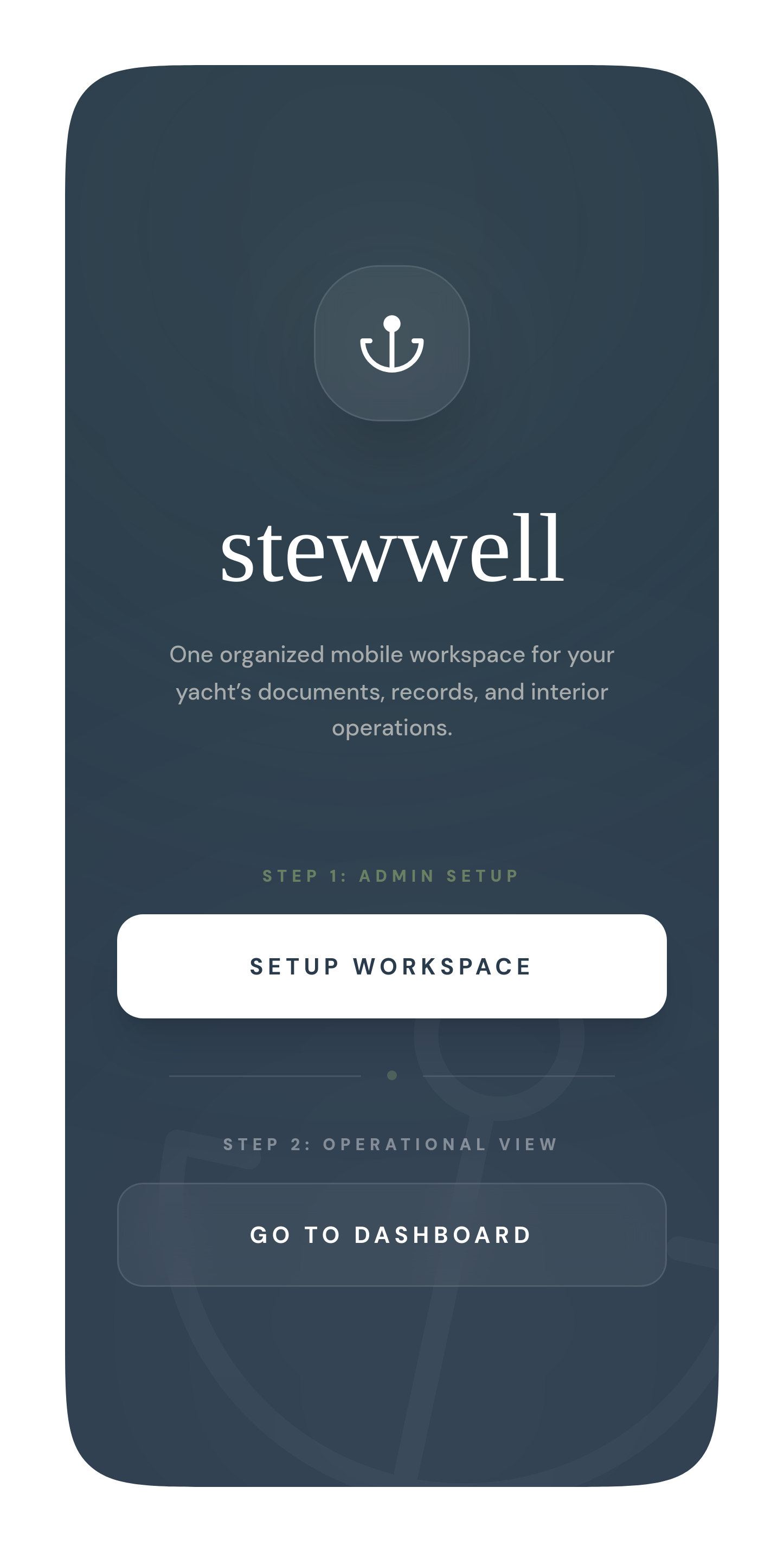
The first screen already draws the line: admin setup, or straight to the dashboard
A six-step wizard, not a settings maze.
The setup-heavy work — vessel profile, crew accounts, roles and permissions, document uploads — is sequenced as a guided six-step wizard rather than a scattered settings menu. Every step reports its own status (synced, active, action required), so whoever's configuring the workspace always knows exactly what's left before the crew starts using it.
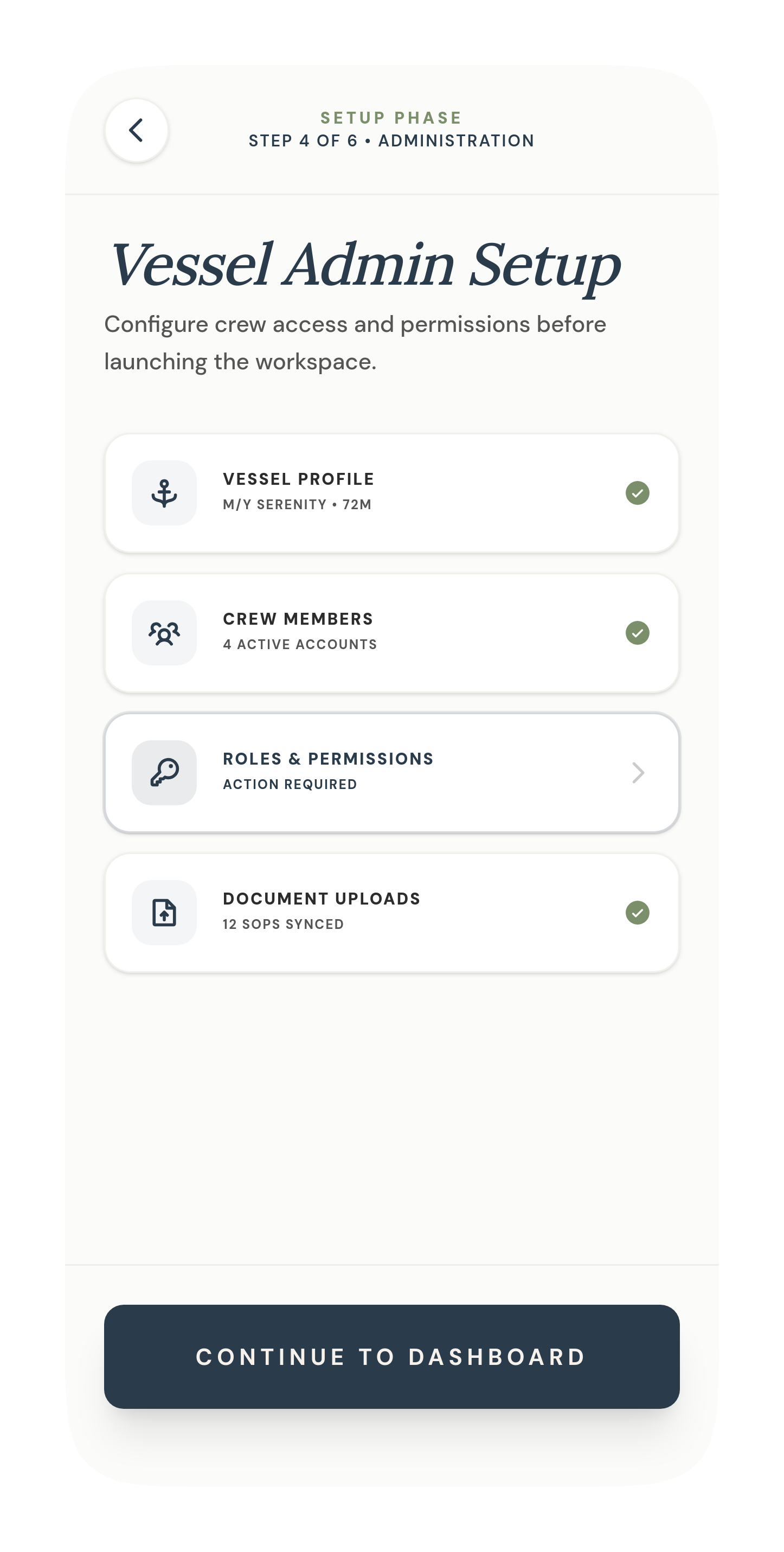
Step 4 of 6 — vessel profile, crew accounts, permissions, and document sync, each with its own status
Upload the spreadsheet. Don't rebuild it.
The single decision that shaped the rest of the product: crew already trust their Excel files and PDF manuals, so Stewwell doesn't ask them to abandon those systems. Existing SOPs upload as reference PDFs; existing inventory spreadsheets import directly and get parsed into an editable in-app template — no rebuilding from scratch.
In the walkthrough below, an uploaded INTERIOR_PROVISIONING.XLSX comes back out the other side as real, editable stock lines — San Pellegrino, Hermès soap, Nespresso pods — with quantities and locations intact.
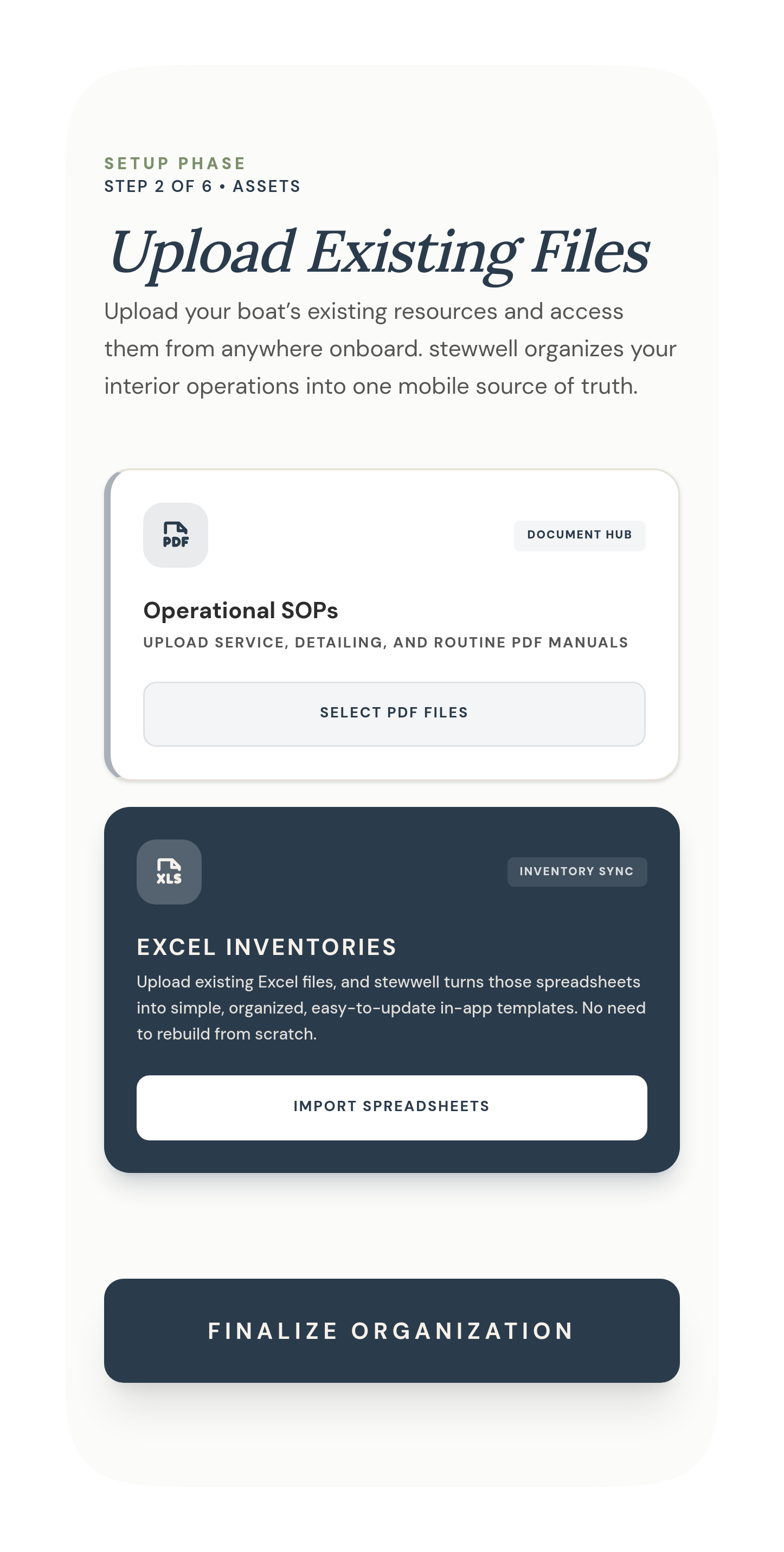
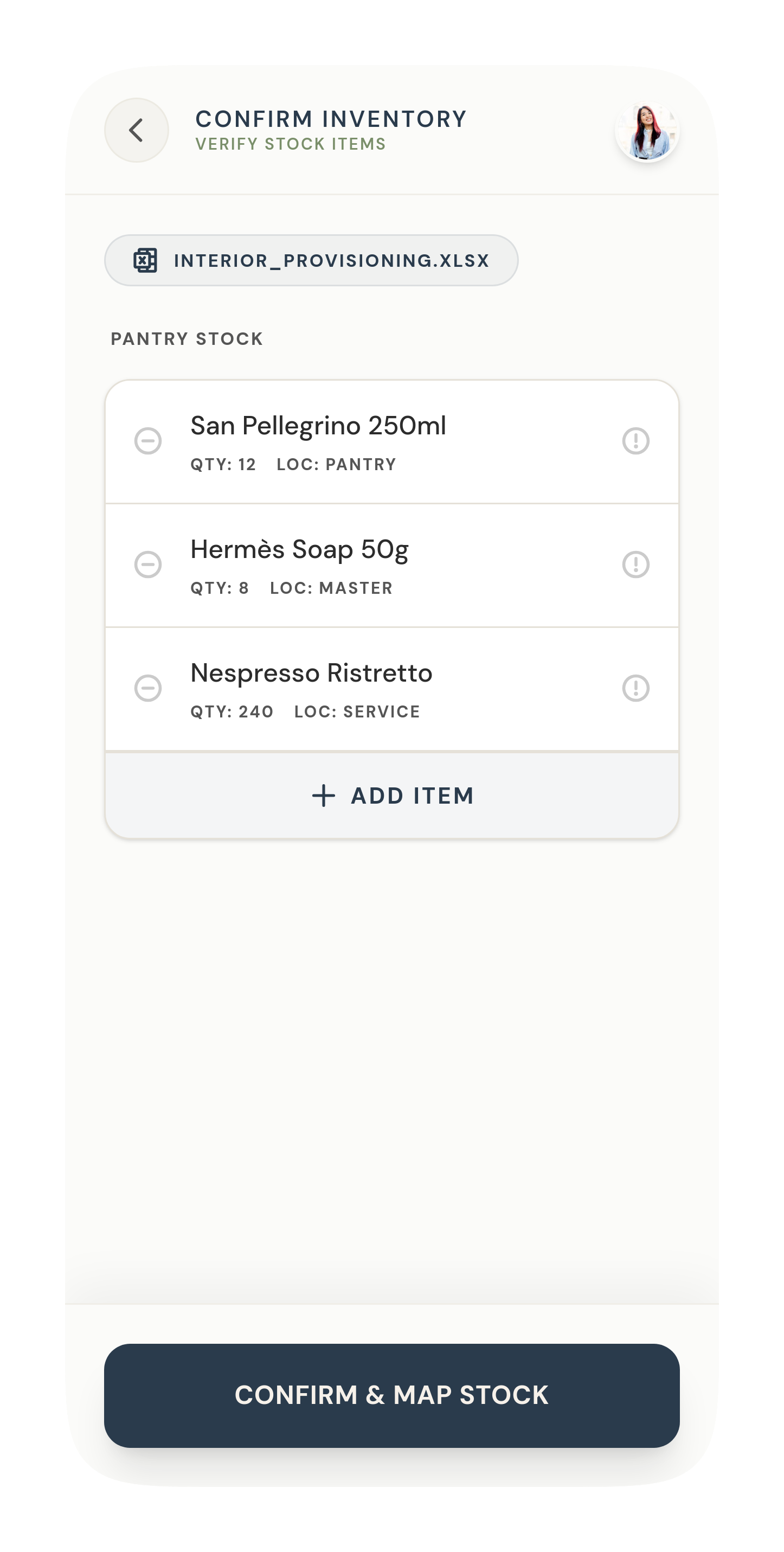
Upload existing SOPs and spreadsheets (left) → the parsed, editable result (right)
A calm home base, then "Detail Cabin 4."
Once the workspace is live, the crew experience opens on a dashboard built for a fast glance mid-shift — a live count of to-do, done, and waiting, and the day's active modules one tap away. From there, the task board is where the yacht-specific language mattered most: work reads as "Detail Cabin 4" and "Restock guest toiletries," grouped under each crew member's name, not as an abstract "priority board" or "Task #12." Pushing the labels toward concrete, real operational language was one of the clearest wins from founder review.
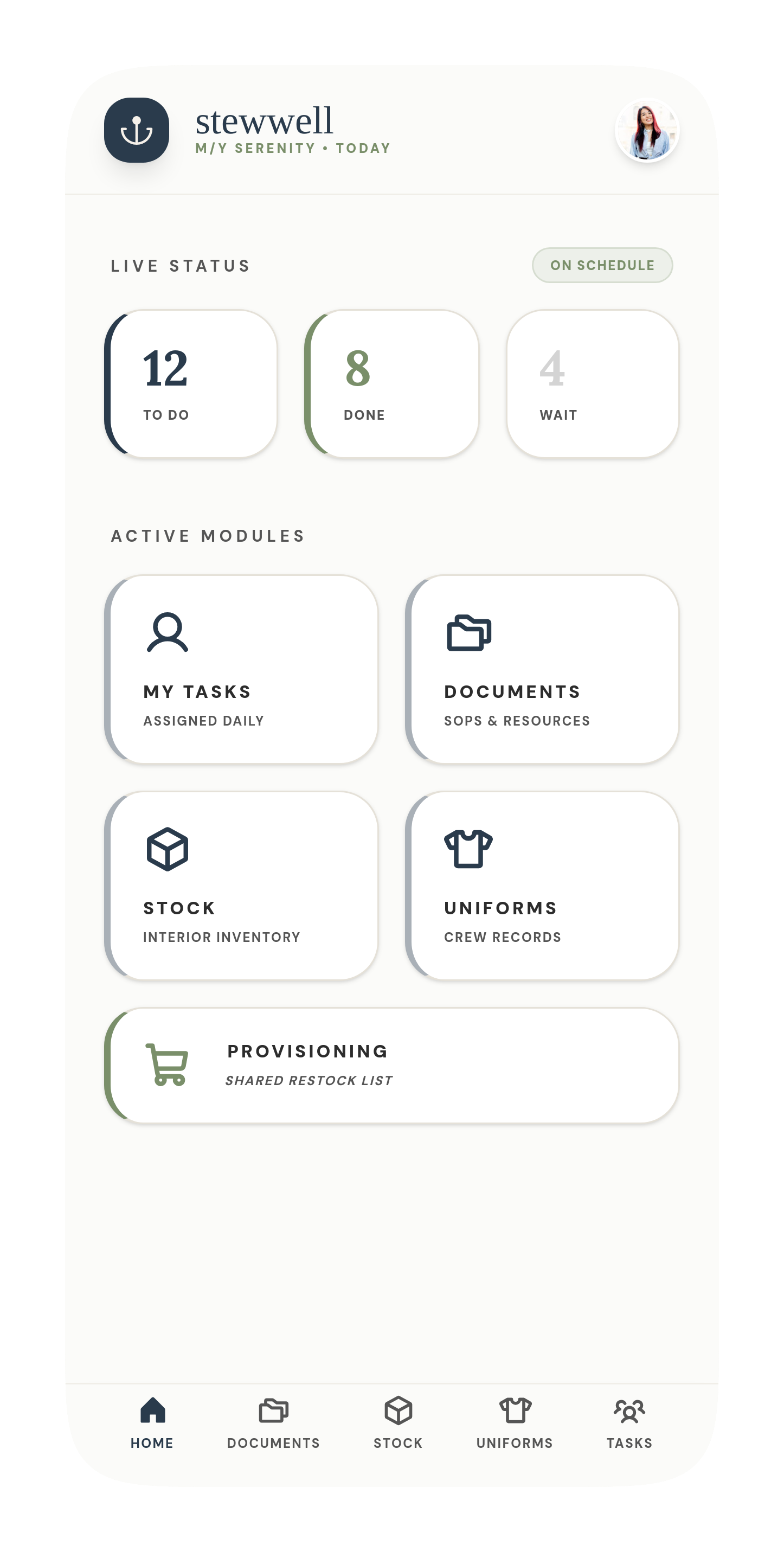
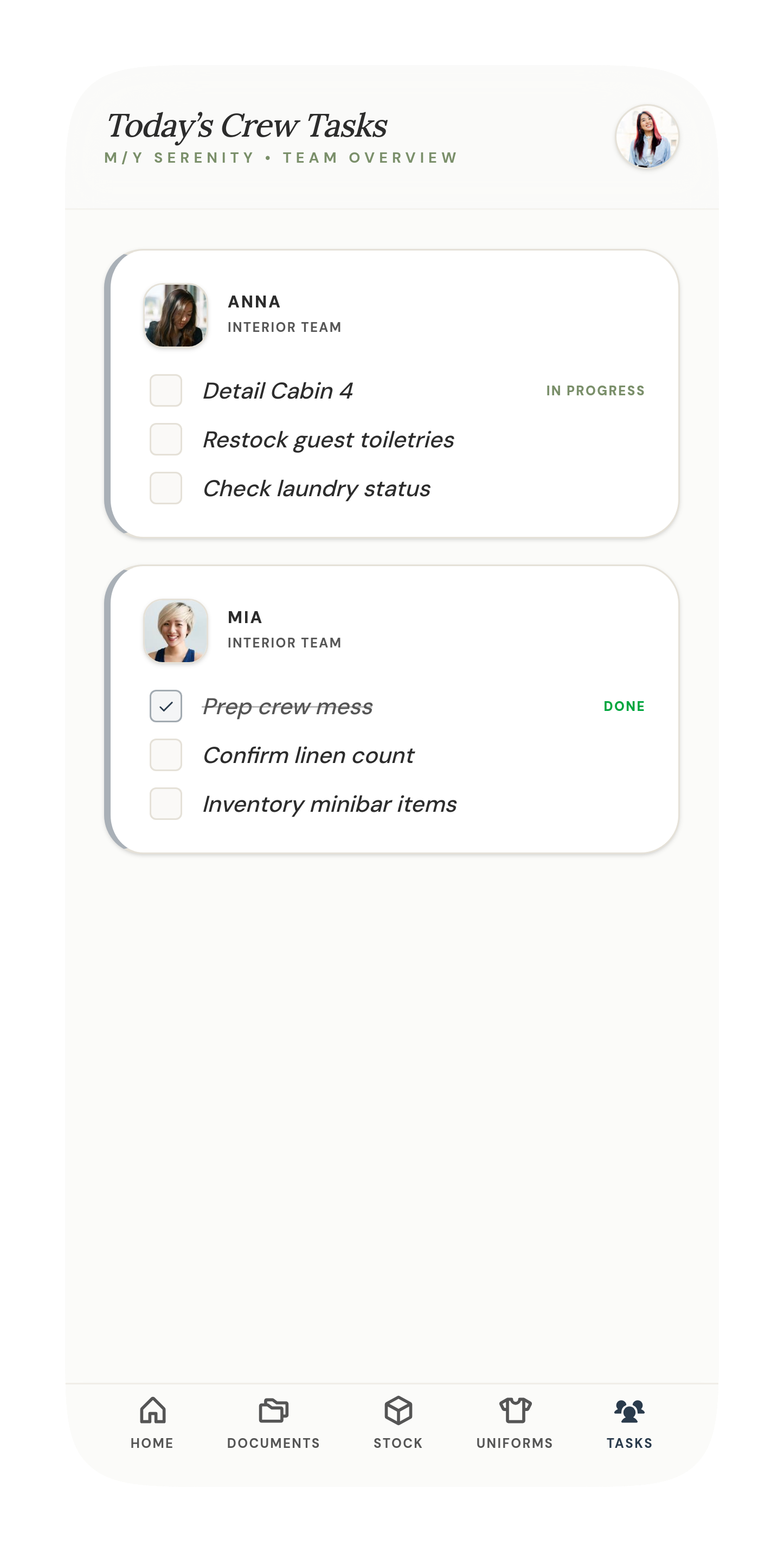
Home (left) and Today's Crew Tasks (right) — the vessel's own language, not generic to-dos
The turnover checklist already knows the guest.
Cabin-level detail is where yacht interiors live or die on standards. A cabin turnover checklist isn't just a generic cleaning list — when a guest preference applies (hypoallergenic bedding, a stocked minibar item), it surfaces right inside the standard SOP steps, flagged as guest-specific rather than buried in a separate profile screen.
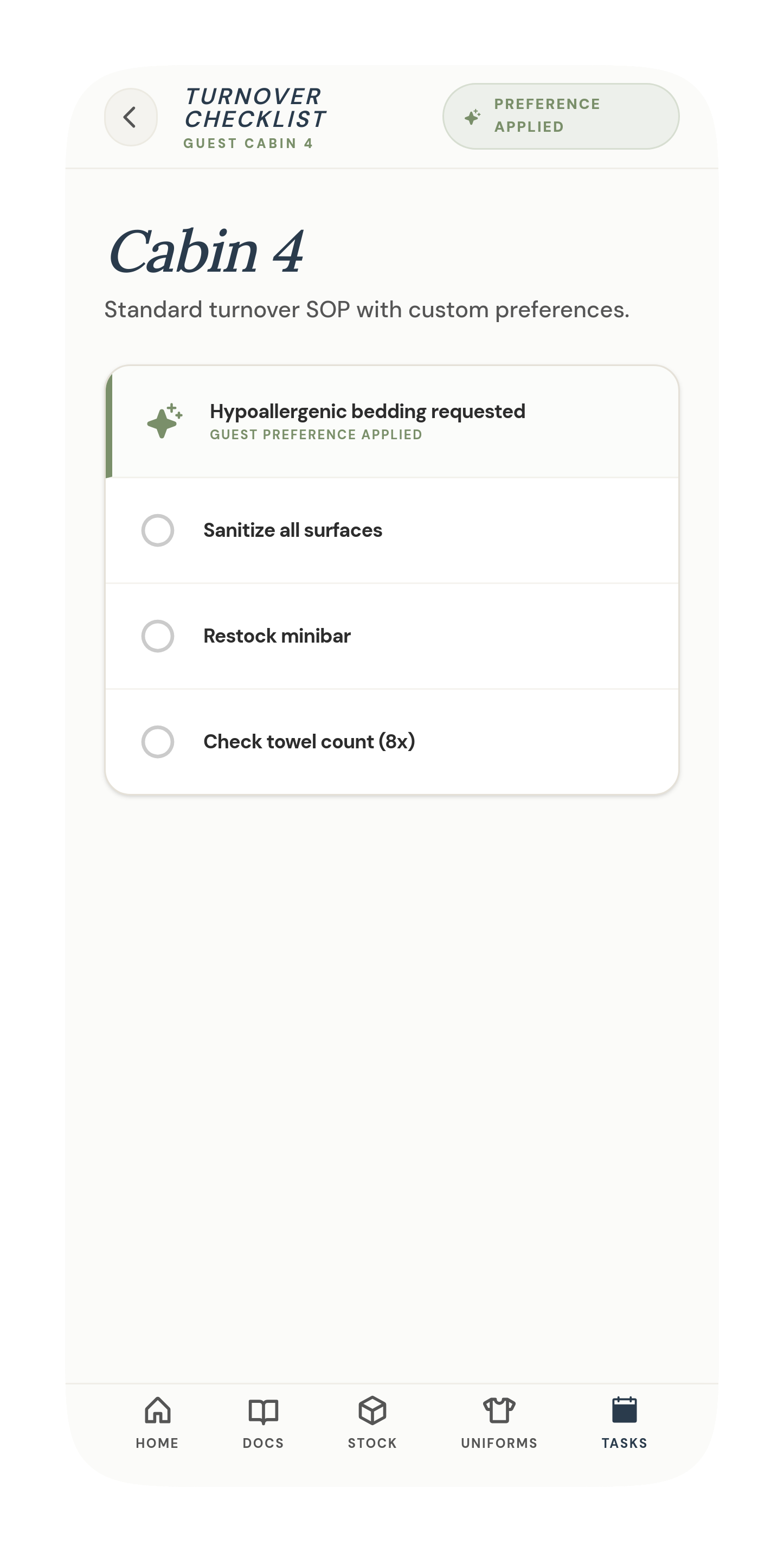
Cabin 4's turnover checklist — a guest preference applied directly inside the standard SOP
Par levels that push work forward, not just track it.
Inventory tracks item counts against par levels by category — glassware, linens, toiletries — so the team always knows what's below par at a glance. When something drops, a low-stock alert doesn't just sit there: it offers to add the item straight to the shared provisioning list, or snooze it 24 hours, closing the loop between "we're low" and "it's on the restock list" in one tap.
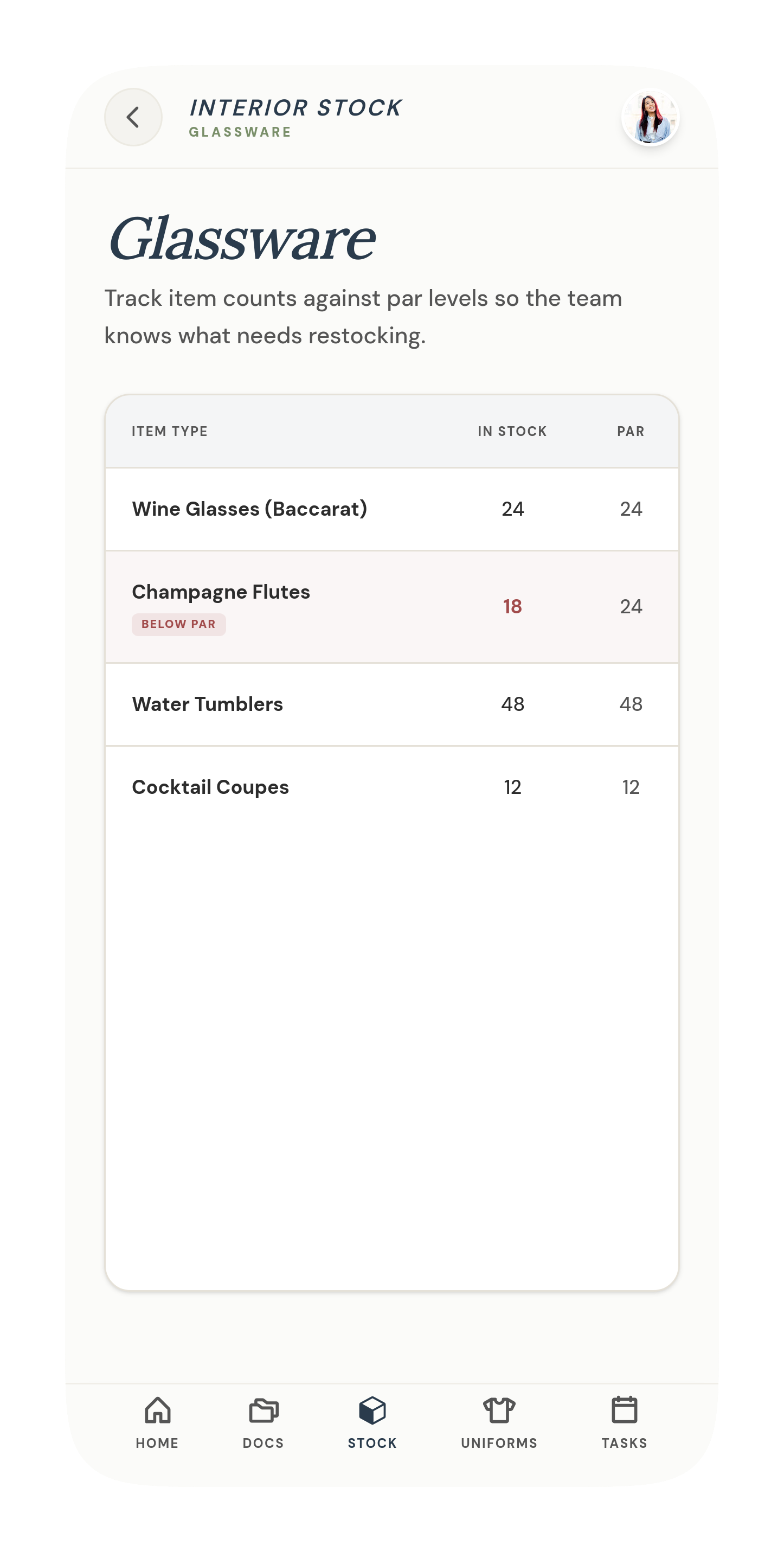
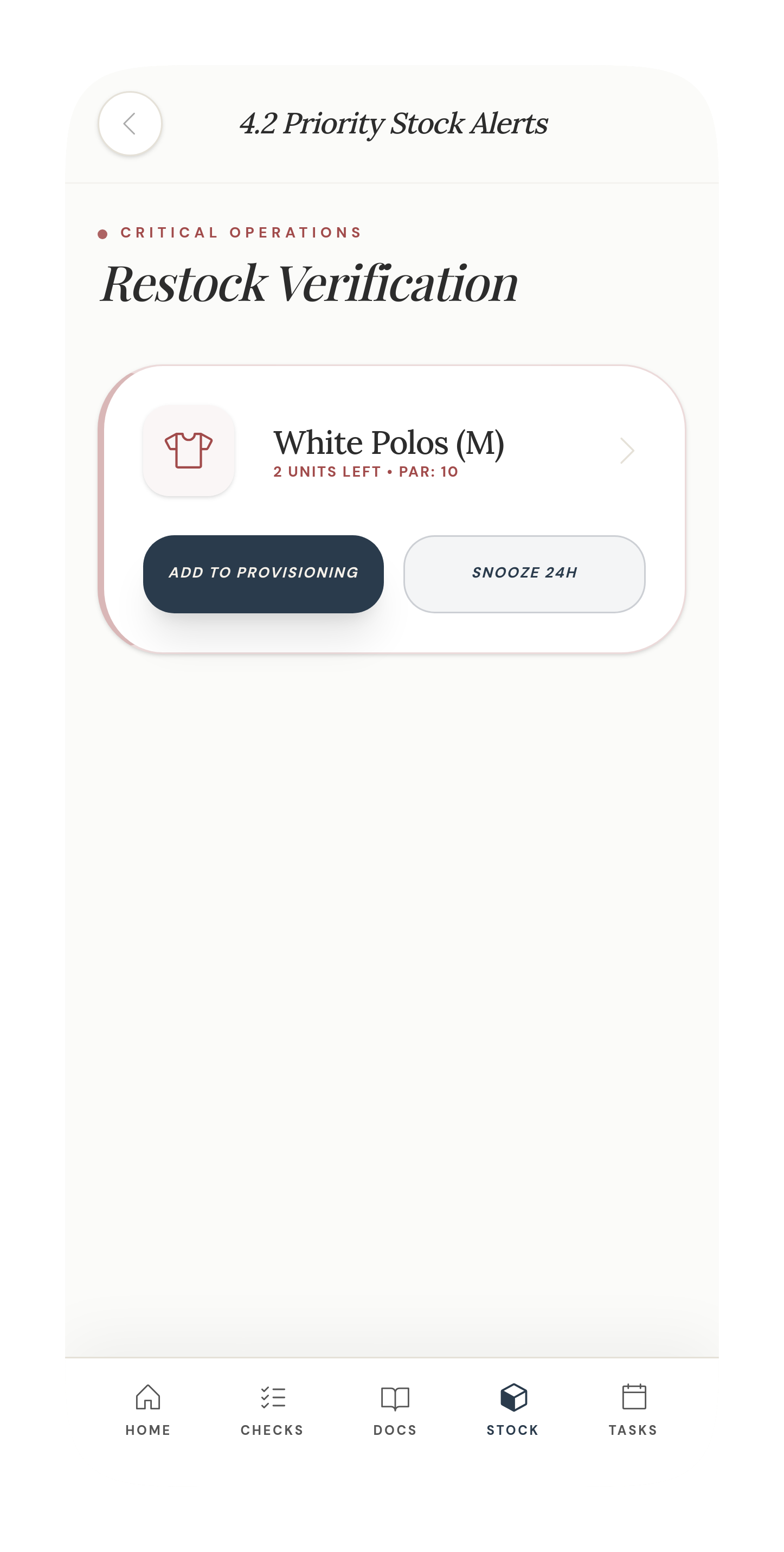
Par-level tracking (left) feeds directly into restock alerts (right)
One source of truth for the whole interior team.
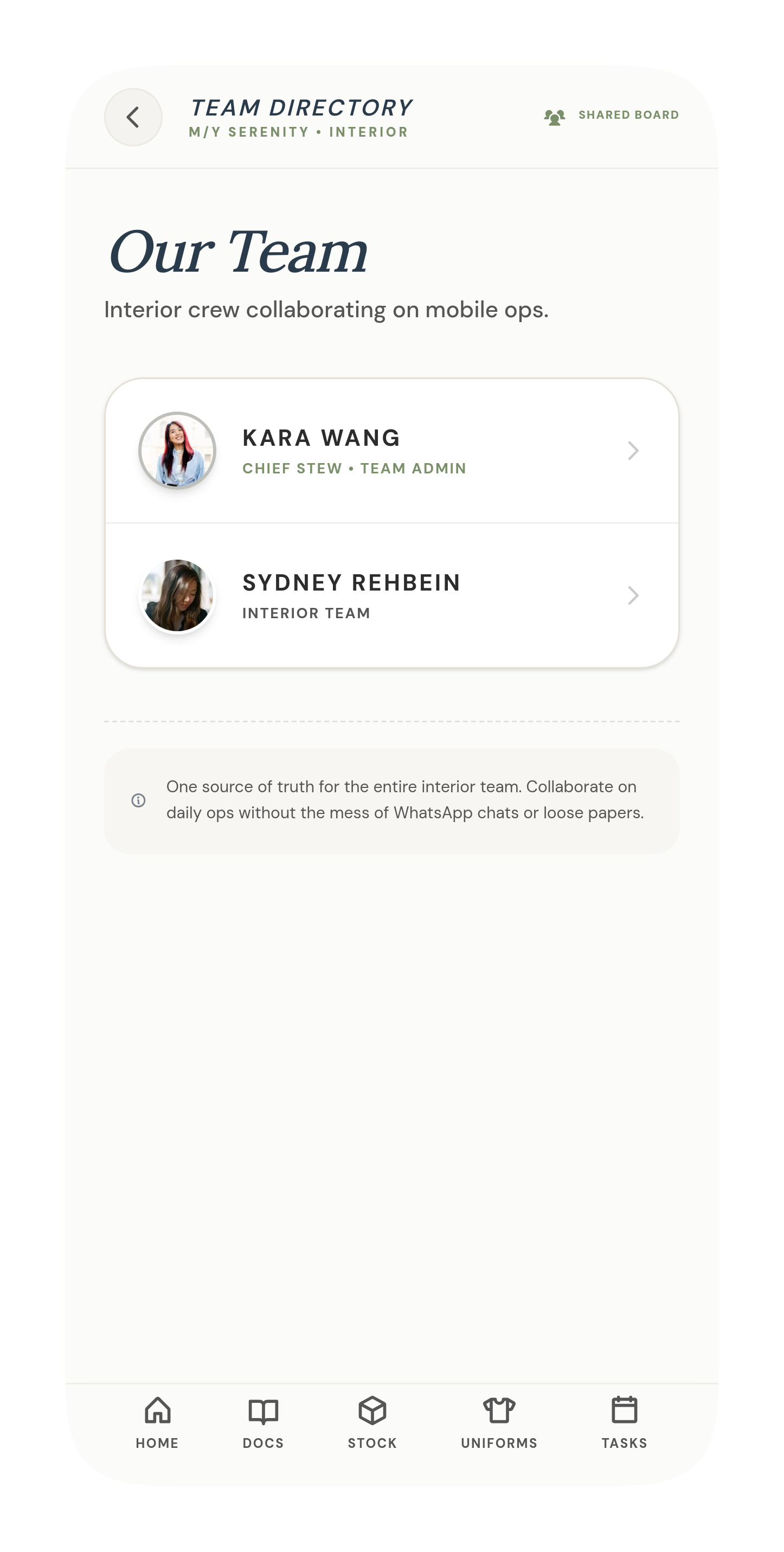
A shared team directory keeps everyone's role and access visible, closing the loop on who's responsible for what — the same problem that made tasks easy to miss in the old WhatsApp-and-spreadsheet system.
Scoping discipline, not just scope.
Not every good idea belongs in the MVP. A fuller guest profile — critical allergies, cabin bedding and temperature preferences, service and pantry preferences all in one record — was designed and explicitly flagged as future vision rather than shipped scope. It's a real product direction worth building toward, but folding guest-level personalization into cabin checklists first, and layering a dedicated guest profile on top once that foundation holds, kept the MVP honest about what a founder can actually ship and test first.
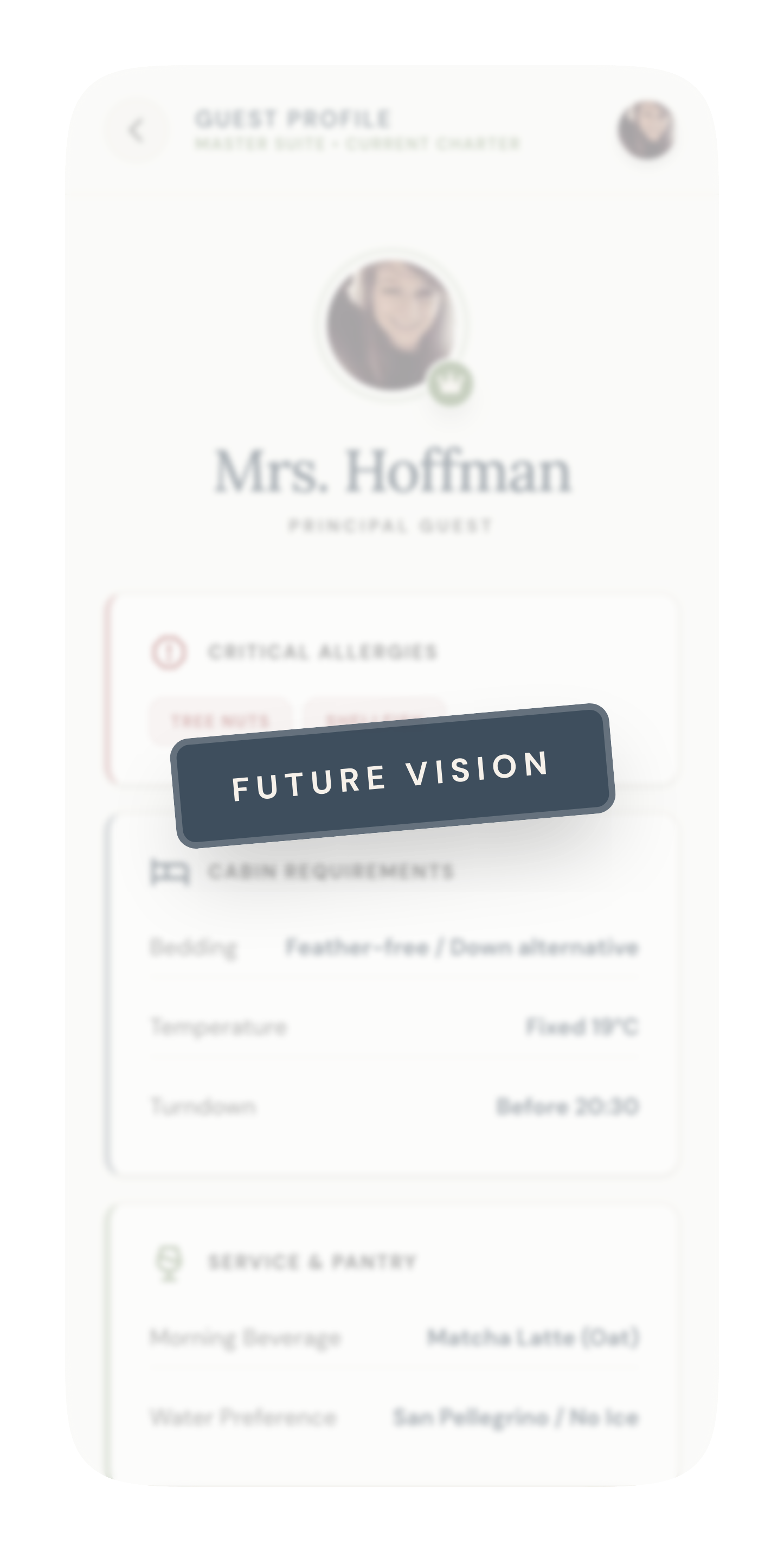
A fuller guest-profile concept, explicitly scoped as future vision — not MVP
Structure with speed, not structure instead of speed.
- Clear labels over clever labels — language that matches how crew actually work, so a cabin task reads as a cabin task and provisioning feels like restock prep, not a generic shopping list.
- Simple mobile flows — glanceable, direct, and easy to act on while moving around the vessel.
- Operational hierarchy — daily actions live on mobile; permissions, onboarding, and setup stay out of the crew's way in admin.
- Founder feedback integration — several rounds shaped the task board's positioning, whether provisioning needed its own flow, how to explain Excel uploads, and what belonged in admin versus v2.
- Premium but functional — polished enough for a luxury yacht environment, without ever prioritizing decoration over usability.
Product strategy, not just screens.
The most valuable part of this work wasn't the screens — it was shaping the product itself: clarifying the MVP, translating a founder's industry knowledge into usable workflows, deciding what belonged on mobile versus admin, drawing the line between what ships now and what's future vision, and keeping the product grounded in real operational behavior.